
This function will return the absolute value of a number. The absolute value is the “positive” part of a number.
Syntax
ABS(Number)
- Number (required) – This is the number you want to find the absolute value of.
Example
In this example find the absolute value of a few numbers. Text values will result in a #VALUE! error.
=ABS(A2)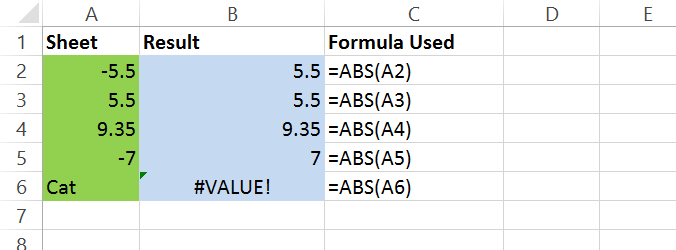


 👉 Find out more about our Advanced Formulas course!

0 Comments